Forum Discussion

The Insider Preview version displays a warning that it is about to expire
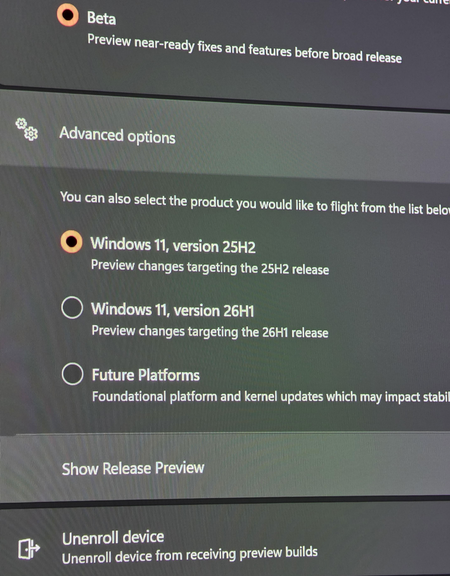

The warning refers to the Insider build’s evaluation certificate, not the Windows license. Do not install a random update package or switch to Future Platforms just to remove it.
Run winver and check the full build number and expiry date. If the PC is still on build 26220.8925, it should receive 26220.9022 or a newer Beta 25H2 build, which renews the flight certificate. Because the expiry date is close, do not simply wait indefinitely.
Keep Beta > Windows 11, version 25H2 selected. Confirm that the registered Insider account is still connected and that Settings > Privacy & security > Diagnostics & feedback > Send optional diagnostic data is enabled. Then restart the PC, run the Windows Update troubleshooter, and check again.
An official Beta Insider ISO may be used for an in-place upgrade only if its build is newer than the installed one and it offers Keep personal files and apps. Back up important files first. Changing to 26H1 is optional and moves the device to a different preview track; it should not be used as the first fix for a missing 25H2 update.