Forum Discussion

Steve Whitcher
Jul 24, 2018Bronze Contributor
Logging on to Remote Desktop using Windows Hello for Business & Biometrics
In the release notes for build 17713, support was announced for logging into remote desktop sessions using biometrics via windows hello. I have a few questions I'm hoping someone can answer: The...
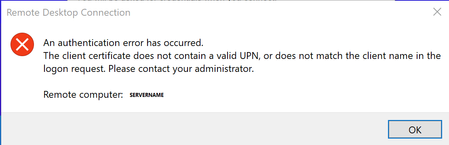
 Oct 03, 2018
Although late, we have published information around WHfB with RDP :

Clint Lechner
Jun 12, 2019Steel Contributor
As of a few weeks ago there wasn't any action and we were speaking with senior engineers. The documentation that states that ADFS is an absolute requirement with key trust is because of our case unfortunately.
Previously there was some gray area where it was thought that AD Connect would be sufficient. Our original thought was that we would go passwordless with Windows hello for business combined with phone sign in for Office 365 Authentication, on the back of multi-factor Authentication width required biometric login.
We actually rolled it out with incredibly positive user feedback. We were heroes. And then RDP bit us in the arse.
Previously there was some gray area where it was thought that AD Connect would be sufficient. Our original thought was that we would go passwordless with Windows hello for business combined with phone sign in for Office 365 Authentication, on the back of multi-factor Authentication width required biometric login.
We actually rolled it out with incredibly positive user feedback. We were heroes. And then RDP bit us in the arse.

Christoph Berthoud
Jun 12, 2019Copper Contributor
I'd be happy with a registry key to disable/hide the PIN/Biometric login option from RDP while Microsoft work to make the Key Trust model work.