Forum Discussion

Error while updating to 22563.1 (ni_release)
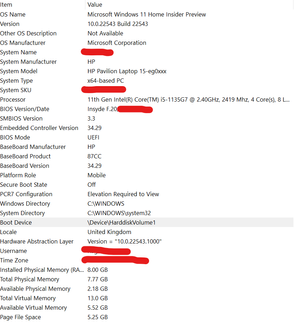

Often, applications installed by the manufacturer - with high privileges block the insider program update - so it is recommended to perform a clean installation of Windows the first time you start the insider program

- Raghav15Mar 01, 2022Copper Contributor
I am a computer lover, and had already uninstalled the apps I do not need... All the apps that are there are ones that I need @Andrzej1
And feel free to tell which ones to uninstall which you think might be causing issues... The only game in there is krunker client... I uninstalled that and also tried... But that doesn't work...
Suggest what to uninstall Pls - DeletedFeb 28, 2022
Because this is your computer ->I do not want to suggest which applications - should be uninstalled, but a few of them I would definitely uninstall (their processes are in progress and the update is not able to close the process because the installed application obtained the highest permissions during installation)
First, uninstall the ones you don't need  Yoni ElronFeb 28, 2022Brass ContributorI have the same issue with my Windows 11 Pro V22533 - cannot update to a newer build.
I tried all the above like Raghav15 tried, nothing helps...
Yes doing a clean install will probably solve it, but then again, what is the point? we are supposed to help Microsoft become better and prevent issues like this to other users in the future...
Maybe Microsoft would like to do some deeper diagnostics?