Forum Discussion

masfe12
Jul 12, 2021Copper Contributor
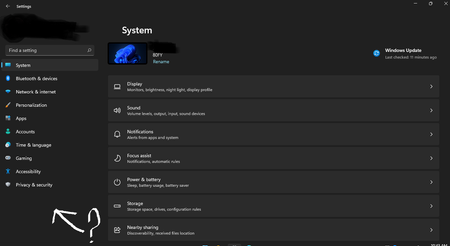
missing "windows update" menu in windows 11? how to fix it?
how to bring up the "windows update" menu in windows 11?

KapilArya
Oct 11, 2021MVP
Try to re-register Settings app:
1. Open administrative Windows PowerShell.
2. In PowerShell window, type/paste following cmdlet and press Enter key:
Get-AppXPackage -AllUsers -Name windows.immersivecontrolpanel | Foreach {Add-AppxPackage -DisableDevelopmentMode -Register "$($_.InstallLocation)\AppXManifest.xml" -Verbose}
3. Let the command complete.
Let us know if this helps!
1. Open administrative Windows PowerShell.
2. In PowerShell window, type/paste following cmdlet and press Enter key:
Get-AppXPackage -AllUsers -Name windows.immersivecontrolpanel | Foreach {Add-AppxPackage -DisableDevelopmentMode -Register "$($_.InstallLocation)\AppXManifest.xml" -Verbose}
3. Let the command complete.
Let us know if this helps!

drcrista_0429
Nov 13, 2023Copper Contributor
- KapilAryaNov 16, 2023MVPYou need to open Windows PowerShell as "administrator" to avoid this error.