Forum Discussion

Jean-Michel-57530
Mar 26, 2022Tin Contributor
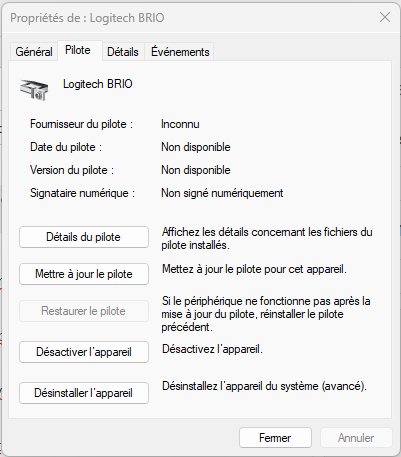
Logitech Brio stop working after windows 11 build 22581 update (Beta channel)
Hello, I've just installed Windows 11 build 22581 from the Windows Insider Beta channel last night. Since then, my Logitech Brio camera stop working. My Logitech Brio was configured on my co...

MadhavManyam
Dec 19, 2022Copper Contributor
This issue still exists even after the actual release of 22H2. Microsoft should provide help.

DarrenLovell
Feb 28, 2023Copper Contributor
The problem is with Windows 11. I've updated the firmware and have logitune running on Win 10 and Win 11 22H2. Only Windows 11 on my new Surface Laptop 5 is where the problem exists. I can use the webcam in Teams etc, but nothing works with Windows Hello.
 LAKELOCE3000X3DApr 09, 2023Copper ContributorYEP! This is a huge issue unknown to MS with Windows 11 22H2 any build, specifically with Surface laptop 5s in our testing. Across several test SL5 units, regardless of it being Intune managed with DFCI config, setup as a retail/consumer device, and testing across 4 windows hello compatible camera models (including BRIO). There is no support for Window Hello auth with an external camera using SL5s and Windows 11 22H2. Regardless of whether you disable the built in camera or not, too.
- DarrenLovellApr 10, 2023Copper Contributor
LAKELOCE3000X3D thanks for the confirmation and all your testing. I now have Win 10 22H2 on my surface laptop 5 and I still have the same issue. Not sure if it is a 22H2 code issue across Win 10 & 11 or specific to the SL5. I have a surface laptop 3 that I will put Win 10 22H2 on and see if the Brio stops working on that. If it still works then it is likely a SL5 issue.
- LAKELOCE3000X3DApr 11, 2023Copper Contributor
DarrenLovell We reached out to intune support and they got back to us miraculously fast, with an easy solution. They referenced this https://learn.microsoft.com/en-us/windows-hardware/design/device-experiences/restore-scpc-config-for-admins#enhanced-sign-in-security-ess and in our case, the entry and value to set for the "SecureBiometrics" Key is (DWORD) Enabled = 0 instead of 1. We had to manually create the "SecureBiometrics" key.