Forum Discussion

Logging on to Remote Desktop using Windows Hello for Business & Biometrics
 Oct 03, 2018
Although late, we have published information around WHfB with RDP :

Hello ChristianT85 , Thanks for your reply.
Actually I followed the guide for "Remote Desktop sign-in with Windows Hello for Business" https://learn.microsoft.com/en-us/windows/security/identity-protection/hello-for-business/rdp-sign-in?tabs=adcs
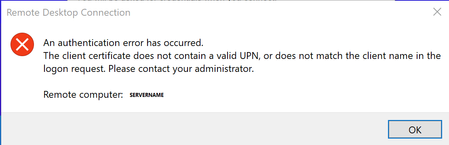
And have a cert to be uses as smartcard as required (AD DS Policy deployment) . So from my understanding I have prepared WHfB for cert based RDS login. But still receive this UID error.
That's what confuses me.
I wonder if there is a something regarding the cert template missing in the official documentation.
For the subject alternate name in cert template upn is selected.
May I also need to select something additionally to be included in Subject Name Format beside Fully distinguished name?
following page: https://learn.microsoft.com/en-us/windows/security/identity-protection/hello-for-business/deploy/hybrid-cloud-kerberos-trust
on the bottom states:
Unsupported scenarios
The following scenarios aren't supported using Windows Hello for Business cloud Kerberos trust:
- RDP/VDI scenarios using supplied credentials (RDP/VDI can be used with Remote Credential Guard or if a certificate is enrolled into the Windows Hello for Business container)
- ....
i don't fully understand what this line should tell us...
obviously key-trust oder cloud-kerberos trust shouldn't be supported for whfb-RDP...
but you can use remote credential-guard with whfb?