Forum Discussion

Leaving Windows Insider Program
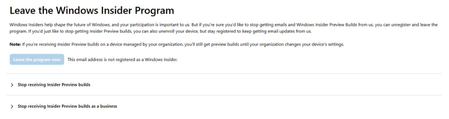

Hello,
Exit from Insider Preview builds depends upon channel you're in.
If you're in Dev or Canary channel, you need to make clean install to switch to 25H2:
https://www.kapilarya.com/how-to-make-clean-install-of-windows-11
If you were in Beta or Release Preview channel, you can exit by turning On Unenroll this device when the next version of Windows releases option at Insider settings page.
Let us know if this helps!
Note: Included link in this reply refers to blog post by a trusted Microsoft MVP.

Same issue here on Build 10.0.26200.8037 (Windows 11 Home 25H2). I have opted out of the Insider program, but Windows Update is stuck in an endless loop trying to install incoming updates (KB5101650 / KB5121767) with Error 0x80070306. A standard In-Place Upgrade via official public ISO is blocked from keeping personal files because the installed OS build is higher than the public release ISO. Is there any Registry tweak or DISM command to force-detach build 26200.8037 from the Insider pipeline, or override the ISO build check for an In-Place repair without doing a clean install?