Forum Discussion

Leaving Windows Insider Program
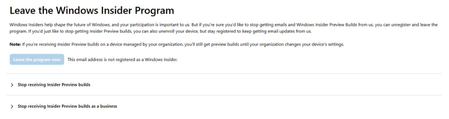

Sometimes, the Insider status is retained in the system, but the device is no longer receiving Insider builds once you've unenrolled.

It looks like your device is still linked to the Insider Program on Microsoft’s activation servers, even after clicking “Leave the program now.” This usually happens when the system hasn’t fully synced your current policy with your Microsoft account.
Here are a few things you can try before thinking about reinstalling:
1. Go to Settings → Windows Update → Windows Insider Program → “Stop getting preview builds” and make sure it’s fully toggled off.
2. Sign out of your Microsoft account from Windows Update, restart the PC, then sign back in.
3. Open Command Prompt as admin and run:
winget uninstall "Windows Insider Hub"
4. Sometimes Windows keeps old Insider policies cached. You can reset the update service using:
net stop wuauserv
net start wuauserv
If you want a step-by-step guide that checks your system status and policy sync, I’ve written a clear walkthrough here:
👉 **[Windows Update Troubleshoot Guide]http://(https://xn--mgbacer2ak5cxfl.com/)
It helps detect whether your system is still tied to Insider settings and how to safely switch to stable builds.