Forum Discussion

Everettiin
Feb 01, 2026Iron Contributor
How to uninstall the taskbar overflow menu
Good morning I would like to know how to uninstall the taskbar overflow menu?

Treysil
Feb 08, 2026Iron Contributor
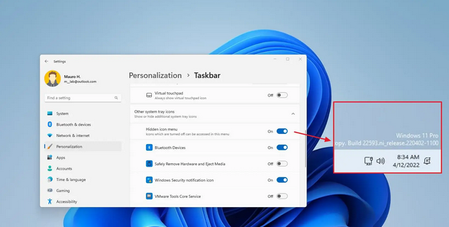
- Right-click on the taskbar and select "Taskbar settings."
- In the Taskbar settings, you can turn off or toggle off icons for apps you don’t want to appear on the taskbar, which will reduce the overflow.
- To manage individual app icons:
- Open Settings > Personalization > Taskbar.
- Under Taskbar corner overflow, toggle "Automatically hide" or "Show always" for specific icons.