Forum Discussion

How to show Quick Access AND This PC at the same time?
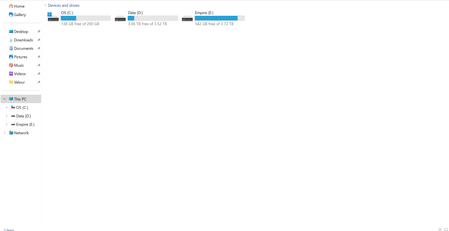
- Nov 21, 2024
1. Open Quick Access:
Open File Explorer and ensure it defaults to Quick Access (you can configure this in the Folder Options if needed).
2. Pin "This PC" to Quick Access:
In File Explorer, right-click This PC in the left navigation pane.
3. Select Pin to Quick Access.
Now, you can click "Quick Access" to see your pinned items, including This PC, making both accessible in one view.

1. Open Quick Access:
Open File Explorer and ensure it defaults to Quick Access (you can configure this in the Folder Options if needed).
2. Pin "This PC" to Quick Access:
In File Explorer, right-click This PC in the left navigation pane.
3. Select Pin to Quick Access.
Now, you can click "Quick Access" to see your pinned items, including This PC, making both accessible in one view.