Forum Discussion

Samuelyur
Mar 30, 2026Copper Contributor
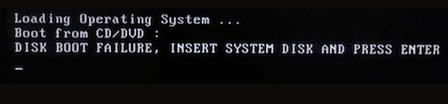
How do I fix disk boot failure from my windows 10 pc?
Hi everyone, Made a bootable USB drive and tried to boot from it. However, this error message shows up on the screen: Disk Boot Failure, Insert System Disk and Press Enter Not sure what caused t...

KairosRivers
Mar 30, 2026Iron Contributor
Checking the boot order in BIOS can help you fix disk boot failure in Windows 10 if your computer is trying to boot from the wrong drive.
Step 1: Enter the BIOS
1. Restart your computer.
2. Immediately press the BIOS key repeatedly:
- HP Pavilion: F10 or ESC
- Other common keys: F2, F12, DEL
Step 2: Change the boot order
1. Locate the Boot or Boot Order menu.
2. Set the hard drive as the first boot device.
3. If USB is at the top of the list, move the hard drive to the top.
4. Save and exit the BIOS.
Pros
- Safe and reliable; does not delete any data
- Quick to use; usually takes less than a minute
- Resolves the most common causes of boot failure
cons
- Can only fix boot order issues; cannot repair system or hard drive errors
- BIOS interfaces vary between brands, which may be confusing for beginners
- Cannot repair the hard drive if it is physically damaged
This simple adjustment is one of the most common solutions for disk boot failure in Windows 10.