Forum Discussion

How do I fix disk boot failure from my windows 10 pc?
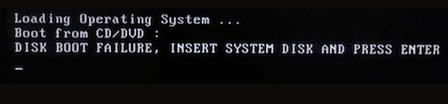

Run Startup Repair is an effective method to resolve disk boot failure in Windows 10 when the boot order is correct but the system still fails to star
How to disk boot failure in Windows 10
1. On another computer that is working properly, download the Windows 10 Media Creation Tool.
2. Use this tool to create a bootable USB drive.
3. Insert the Windows 10 installation USB into the computer.
4. Enter the BIOS and set the USB as the first boot device so that the computer boots from the USB.
5. Select your language, then click Next.
6. Click ‘Repair your computer’ in the bottom-left corner to access Troubleshoot → Advanced options → Startup Repair.
7. Select Windows 10 and wait for the repair process to complete.
Finally, restart the computer.
This built-in Windows tool provides a safe and direct solution for disk boot failure in Windows 10 and can restore normal system boot function.