Forum Discussion

hussain5416
Mar 07, 2021Steel Contributor
[HELP] Unable to update insider build to new version
Error code: 0xc1900101 - 0x60016 Current build: Dev build 21286 TL,DR: I was a Beta insider, then I switched to Dev, got update from window updater in setting, downloaded, installed 100%, restarted...

hussain5416
Mar 07, 2021Steel Contributor
I tried again, and it failed again with same error code 0xc1900101
- HotCakeXMar 07, 2021MVP
I suggest preforming a Reset from Windows settings, and after that use Windows update to upgrade your build to the latest build 21327.
- hussain5416Mar 07, 2021Steel Contributor
HotCakeX I tried resetting.
- I used the web to reset the PC (in case local files were corrupted)
- All download, install process ran, and after reboot, it shows:
- Reset was un-successful
- HotCakeXMar 07, 2021MVPdid you choose to keep files or delete everything on Windows installation drive?
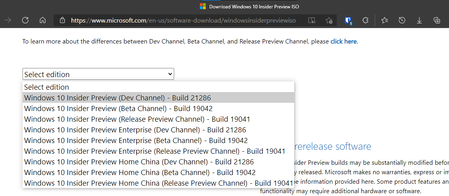
if you did delete everything and still failed, download normal Windows 10 ISO, clean install it, then enroll it in any insider channel you want.
https://www.microsoft.com/en-us/software-download/windows10
- hussain5416Mar 07, 2021Steel ContributorI didn't want to reset, but seems like, there is no other way, I would try it.
