Forum Discussion

File History problems after installing KB5124008, KB5126052,KB5126146, KB5122878, and KB890830

Installed October’s Win Update, KB5127689…
Now able to select correct network backup drive and restart File History.
Appears to be running at selected interval.
Individual File Properties now displaying new Previous Versions from today 10/14/2026 with earlier versions now are all back!
Microsoft came thru!
 sheratonOct 16, 2026Iron Contributor
The problem persists even after the update. I strongly suspect that the issue wasn't resolved after KB5101684 on July 29th.
- sheratonOct 16, 2026Iron Contributor
My feedback report can be found at the following links:
If anyone else encounters the same problem, please leave your comments and feedback there.
- sheratonOct 16, 2026Iron Contributor
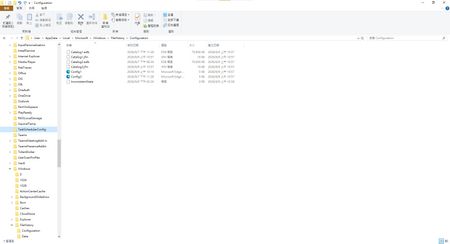
Deleting C:\Users\User\AppData\Local\Microsoft\Windows\FileHistory\Configuration and date, and restarting the file history log, still didn't work.
- sheratonOct 16, 2026Iron Contributor
After updating KB5127689, although items in the "Users" folder and regular folders display the latest timestamp version, the displayed last backup time does not match the actual backup time, even though the backup was successfully completed to drive D. Furthermore, newly added or updated files and images do not display the latest timestamp version, but instead retain the previous date and time. This also causes newly added or updated files and images to fail to display when opening regular folders.
 Bertrand_DOct 16, 2026Tin Contributor
Same behaviour for me, after latest update for W10 (KB5126657, if you benefit from ESU). FileHistory works fine again.
BD
- Bertrand_DOct 16, 2026Tin Contributor
To be clear : i have been able to make a snapshot using Filehistory after the aforementionned update : Version 22H2 (Windows 10), OS 19045.7807. I have not looked at the different timestamps but new files have been correctly saved.
Previously, it was not possible to use Filehistory at all nor to activate it.
Regards
BD
- sheratonOct 16, 2026Iron Contributor
Windows 10 still doesn't work. It seems the problem with KB5120249 hasn't been resolved.