Forum Discussion

Error while updating to 22563.1 (ni_release)
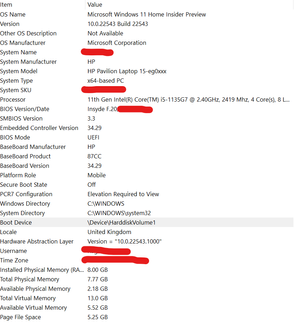

So this is not a computer managed in an organization - so the use of WSSU was useless.
I would carefully analyze the firewall Microsoft Defender (add allowed applications)
sometimes some processes are blocked by DEFENDER.
https://insider.windows.com/en-us/for-business

processes like what? Bcos the update button works now, just nothing happen s after I restart
it says undoing changes made in the HP flash screen when booting and then back to old build...
what processes? I don't think it has to do with AV
- DeletedFeb 27, 2022
Often, applications installed by the manufacturer - with high privileges block the insider program update - so it is recommended to perform a clean installation of Windows the first time you start the insider program
- Raghav15Feb 28, 2022Copper ContributorAlso, my windows update works now, but it just starts rerolling during the update... So trying to mess with the softwaredistribution folder and see if it works...
- DeletedFeb 28, 2022
Because this is your computer ->I do not want to suggest which applications - should be uninstalled, but a few of them I would definitely uninstall (their processes are in progress and the update is not able to close the process because the installed application obtained the highest permissions during installation)
First, uninstall the ones you don't need
- Raghav15Feb 28, 2022Copper Contributor
Here is my app list @ansdrezj1
I don't really think the below applications are causing issues... And if you think something is, please let me know ASAP which one it is. I can uninstall that and then retry...Here ^ pls lmk