Forum Discussion

CrossDeviceResume has reappeared after the Insider Preview update KB5089573
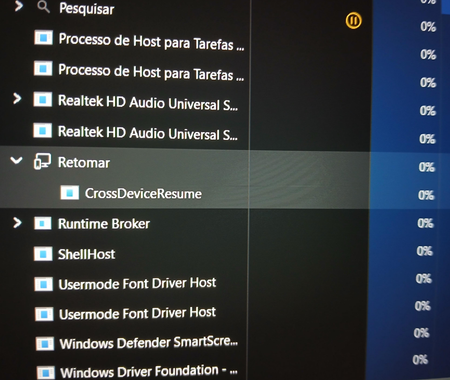

As of this writing there seems to be no new ViVeTool override or officially documented way to disable CrossDeviceResume following the installation of KB5089573. Many have said that the feature-ID override was not working right away after the update, which may have impacted the way that the feature is implemented or it may have become hardcoded in the newer builds. Current community findings: The Resume prompt is no longer suppressed on impacted KB5089573 systems as done in the previous ViVeTool disable method. A workaround is being utilized by some users to end CrossDeviceResume.exe soon after logon with a scheduled task. This does not turn off the feature; it simply makes the process inactive. It is rumored that the feature is now more deeply embedded in the shell and other experiences and so is no longer easily overridden with older feature flags. The same reports have already been found for other Windows features with disabled ViVeTool IDs that have recently undergone preview updates. If you want to stop the prompt from showing, go and check: Settings → Apps → Resume and ensure Resume is disabled. Turn off or disconnect Phone Link if you have it. You may want to use the scheduled task method described above to terminate the process CrossDeviceResume.exe after a successful login instead. For Insider/Preview builds, the best long-term fix might be to wait for a change in a future build or for new ViVeTool IDs. To date, no broad consensus on a replacement override has been found.