Forum Discussion

Holaway
Dec 31, 2024Bronze Contributor
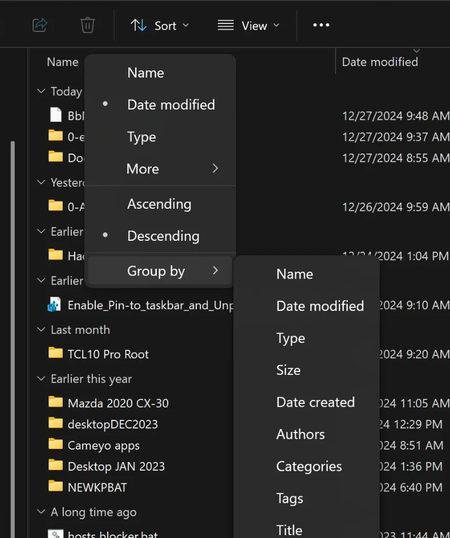
Completely get rid of "Group By" anywhere in File Explorer
As my title says I wish to Completely get rid of "Group By" anywhere in File Explorer. I've tried many things but to no avail. At the moment I am noticing one folder inparticular that constantly rese...

spaghettiojoe
Dec 16, 2025Tin Contributor
Here's what I had to do December 2025...
- Open file explorer
- Click Sort drop down
- Group by > none
- Open Options by clicking 3 dots next to view drop down
- Click View tab
- Click Apply to Folders
- Click OK and close file explorer and reopen