Forum Discussion

Completely get rid of "Group By" anywhere in File Explorer
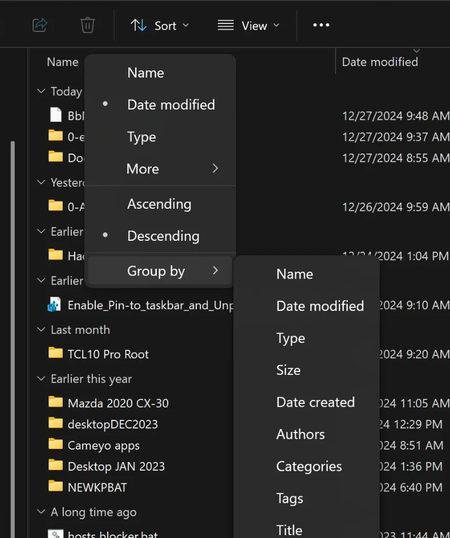

This solution DOES in fact work. Creating the registry key does not turn off the group items feature completely. You still need to go to Sort >> Group By >> (choose your preferred setting, presumably {None}).
Having the registry key will prevent Windows from dictating this setting in the future. Meaning you won't log in one day and your folder(s) are all of a sudden sort-grouped in whatever way, when you never touched the setting to begin with.

unfortunately this is incorrect. the sort by option is stored PER FOLDER. that means every single folder will have the option setup unless you go to each one and start disabling this. this works even without the registry key.
the only true fix is to use WinSetView which unfortunately i can't use on my work computer. works just fine on my personal one. both have the same OS