Forum Discussion

Holaway
Dec 31, 2024Bronze Contributor
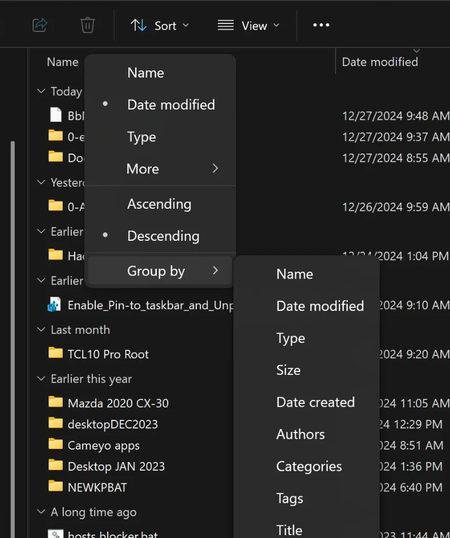
Completely get rid of "Group By" anywhere in File Explorer
As my title says I wish to Completely get rid of "Group By" anywhere in File Explorer. I've tried many things but to no avail. At the moment I am noticing one folder inparticular that constantly rese...

Indiaer
Jan 06, 2025Silver Contributor
Reset Folder Views
- Open File Explorer.
- Click on the "View" menu at the top.
- Select "Show", then choose "Options."
- In the Folder Options window, go to the “View” tab.
- Click on “Reset Folders.” This action will reset the view settings for all folders of the same type to their default settings.
- StellopJun 07, 2025Iron Contributor
Oh, this guide helped me! Thanks!
 Mike WilliamsApr 01, 2025Steel Contributor
Doesn't work in Windows 11 24H2 - that just made all my folders have Group By (which must be Microsoft's new default).
