Forum Discussion

Ted_C5
Aug 17, 2022Copper Contributor
Charger Disabled - Lenovo P15-Gen1
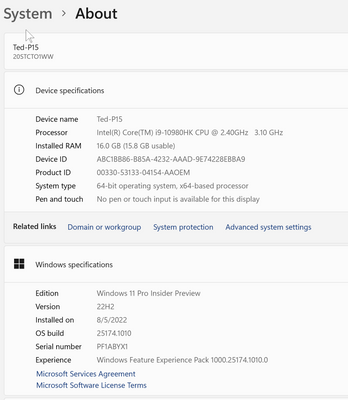
I just tried to install Windows 11 Insider Preview 25179.1000 (rs_prerelease). It didn't seem to complete and left me with a blank screen. I waited for 15 minutes for it to res-tart and it never did....

Reza_Ameri
Aug 17, 2022Silver Contributor
No problem, please try it and let us know about the result.
Meanwhile, you may check with the Lenovo's support too.
In addition, in the laptop, open start and search for feedback and open the Feedback Hub app and report this issue.
Meanwhile, you may check with the Lenovo's support too.
In addition, in the laptop, open start and search for feedback and open the Feedback Hub app and report this issue.

Ted_C5
Aug 19, 2022Copper Contributor
Got home on 8/18 and ran update. Windows 11 Insider Preview 25179.1000 (rs_prerelease) was gone and update downloaded Windows 11 Insider Preview 25182.1000 (rs_prerelease) instead. Same issue with system not responding when charger plugged in. But I did get a error message this time: 0x80242016. Update backed off.
Did a clean boot. Retried Windows 11 Insider Preview 25182.1000 (rs_prerelease). Got through the update, but screen went dead again with charger in. Disconnected the charger and screen came back with normal display on battery. Plug charger back in and screen goes blank again. Disconnect charger and back to normal display. Feature update says "Successfuly installed on 8/19/2022". Backed out update and system works again without any issue.
Did a clean boot. Retried Windows 11 Insider Preview 25182.1000 (rs_prerelease). Got through the update, but screen went dead again with charger in. Disconnected the charger and screen came back with normal display on battery. Plug charger back in and screen goes blank again. Disconnect charger and back to normal display. Feature update says "Successfuly installed on 8/19/2022". Backed out update and system works again without any issue.
- Ted_C5Aug 19, 2022Copper ContributorUpdate history now shows "Failed to install on 9/19/2022 - 0x80242016". -- Ted
- Reza_AmeriAug 19, 2022Silver ContributorThis is not the expected behavior.
Try open start and search for feedback and open the Feedback Hub app and report this issue.
Check Lenovo website and see if there is any new driver or firmware update for your device.
It is also good idea to check with the Lenovo support, have a look at:
https://support.lenovo.com/us/en/- Ted_C5Aug 19, 2022Copper ContributorDid Feeback Hub report.
Lenovo says all drivers and firmware up to date.
Will check Lenovo Support. -- Ted