Forum Discussion

ShawnRussell
Nov 20, 2024Steel Contributor
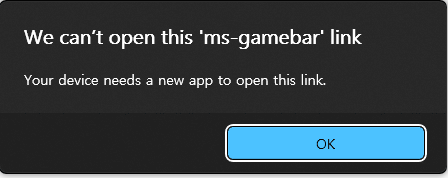
Any way to disable Windows prompt whenever I turn on controller ?
Windows 11 24H2 (26100.2314) here, currently. However, regardless of Windows version, this has been bugging for a long time. Game Bar is uninstalled and disabled as I don't ever use it. Whenever ...
- Nov 21, 2024
Open Registry Editor: Press Windows + R, type regedit, and hit Enter. Navigate to the following path:
HKEY_LOCAL_MACHINE\SYSTEM\CurrentControlSet\Services\HidUsb\ParametersLook for parameters related to notifications or prompts and modify them appropriately (you may need to refer to specific guides based on your controller).


Tsujio
Nov 20, 2024Copper Contributor
Try to change the device properties
- Open Control Panel: Search for "Control Panel" in the Start menu and open it.
- Devices and Printers: Click on "Devices and Printers".
- Right-Click the Controller: Locate your game controller in the list of devices. Right-click on it and select "Device properties".
- Device Settings: If available, go to the "Hardware" tab and then select the controller, followed by clicking on "Properties".
- Change Settings: Look for settings related to notifications or prompts and adjust them as necessary.