Forum Discussion

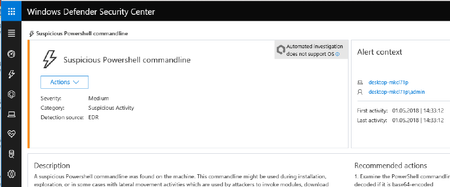
Defender ATP Demo - not seeing Auomated Investigations...? OS is not supported
 May 02, 2018
It is not supported as we require Windows 10, version 1803 (spring creators update).
We are working on enhancing the automation capabilities to also automate isolation, so it is on the road map (I can't commit to when just yet).

Thanks Benny, We got that sorted yesterday and now working a treat.
Having said that - it seems that the "Automated Investigation" is stalling even though I can clearly see that Defender on the end point has already Quarantined/Deleted the malicious file?
Is this something that needs to be troubleshooted? Any advice?
Can you give some more details as to what do you mean by stalling?
- David CaddickMay 02, 2018Iron Contributor
Hi Ben, I have an alert for:
"Windows Defender AV detected 'Tiggre' malware" that has now been running for 2h 45mins...?- Benny LakunishokMay 02, 2018Former Employee
I need to get some more details on why has it been running so long, is the investigation pending as it is waiting for the machine? waiting for a pending action approval?
Can you check the log and see what is the latest action it is performing or pending?- David CaddickMay 02, 2018Iron Contributor
Maybe I'm doing something stupid, but that's the info I'm after too
I can see it's gathered 52 logs - they are all listed as completed.
Opps... - now I can see on the right that I needed to check the status "Queued" - there are 2 of these
It's waiting to Read File - on the machine's C drive - and this is actually the OnBoarding.cmd file...
So even though I have now been able to view the file contents (assuming this means it has successfully retrieved the file?) and this process is still listed as being Queued??
Feel free to let me know what else I should be checking?
