Forum Discussion

Kevin Schmid
May 11, 2022Tin Contributor
Windows 11 Readiness Status Not capable
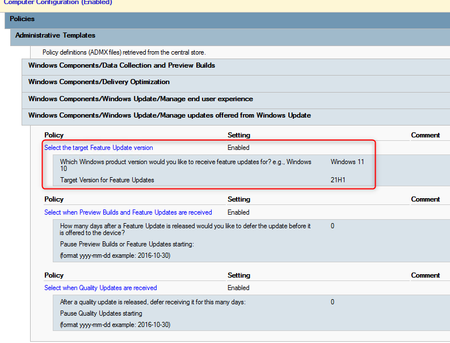
Hello, I have a Problem to upgrade to Windows 11 (from a Win10 - 21H2. We use Windows Update for Business (over OnPrem. GPO); Now in Intune i can see, my device is Not capable (without any r...

davewilliamson
May 20, 2022Copper Contributor
Hi, I have experienced a lot of Windows 10 computers with the BIOS setup incorrectly which causes this issue. First if you have BitLocker enabled make sure you have a recovery key available. Next boot into the BIOS go to Advanced tab and select boot options, scroll to the bottom and make sure Legacy Mode is unticked if not untick it. If its greyed out you will need to change secure boot settings to legacy enabled and secure boot disabled save and exit then go back into BIOS and remove tick. Then don't forget to disable legacy and secure boot enable. save and exit, fingers crossed it should then load Windows 11.
Good luck