Forum Discussion

bunchofsage
Nov 30, 2020Iron Contributor
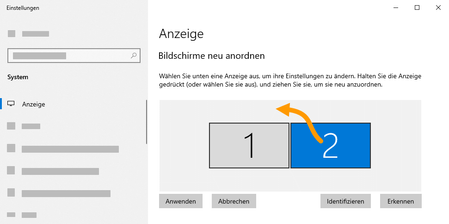
Change default display arrangement from side by side to e.g. stacked
Problem: By default Windows display settings suggest multiple monitors are placed side by side. When the setup is different, you have to open Settings > System > Display > Rearrange your displays a...

Tikolu
Feb 17, 2023Copper Contributor
I made https://tikolu.net/shared/move_monitor.zip which moves can instantly move the secondary display. It is much easier and quicker than navigating through the Windows settings.
If you could get the script to automatically run every time the laptop is docked, you could get it to be fully automated.