Forum Discussion

remcnulty
Dec 10, 2023Copper Contributor
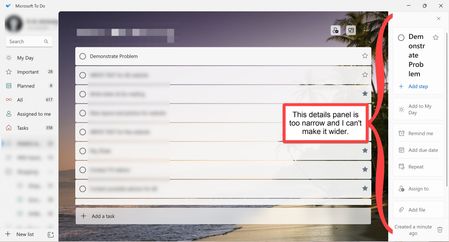
The details panel in Microsoft To Do is too narrow and I can't make it wider
A few months ago, something happened to my instance of Microsoft To Do. The "Details Panel" (I think that is the name) that appears on the right side of the screen when a task is selected is too narr...

amazingdragi
Apr 01, 2026Copper Contributor
Is there any update on the topic? It is very annoying and using it makes it harder for me.

Dennis_S
Apr 24, 2026Copper Contributor
I had the same issue but... this worked for me...
- Maximize the MS To Do app (should take up the entire screen)
- Select/click on a task and the details side panel should appear on the right side
- At this point, the side panel is now resizable
- Resize the details panel to the desired size (there is a max)
- When you 'downsize' the main app window, the details panel will remain at the size selected.
Cheers