Forum Discussion

Sync Problems
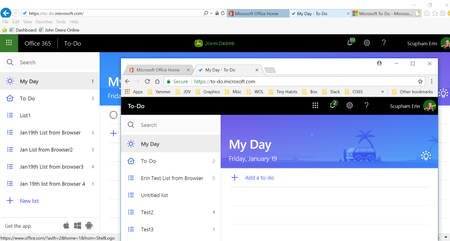

I found that synching had started between apps - but not on the web version (found this in settings on the webapp > Syncing - and beside it it said syncing failed) so I signed out of Microsoft to-do webapp, and then signed in again - and bingo now it is all in sync in perfect time.
This app is so awesome - a little more integration, and a some built in task time clocking functions and it will be the best such thing on the market.
SPRex wrote:Polly DavidsonThanks Polly for the response.
It seems to be sorting itself out slowly.
Flagged emails are running again, and synching between devices is going again - albiet trickery because we have some mix up's and doubles from this period and some cleaning up to do.
Let see if it comes totally good over next week or so.

I have a similar issue. Created List on Iphone To-Do app. Added 76 items to the list one-by-one. List did not appear on Outlook.com or Windows 10 Office 365 Outlook. Hmmmm. Tried to press the 'Sync' button in the app on the phone - shows - up-to-date. Try to sign out of the account - states: last sync 67 items failed'. Decided to delete and re-install the app. Did so. Notice a line under app with the text 'cleaning...' as app was deleted and lo-and-behold - the list is not there when I re-install! Bugger! Crud! Trzash! Please fix this. I have been using MS Tasks for over a decade always synced to the phone by one app or another and this has never ever happened. SPRex