Forum Discussion

Sync Problems

 Microsoft
Hi Ros,
We recommended Erin among others follow the advice in this support article and it appears to have solved the issue for most folks. Let me know how you fare.
Best,
Timo

For me, the sync was working fine on all 3 platforms for a week or so before things got muddled. Was that the case for yours too Erin?
Also, got an "Unable to sync" error on the Windows app and that doesn't seem to be repairable.
Outlook tasks and the online (portal) version of to-do are still aligned, it's the local apps (both Windows and iStuff) that aren't syncing .. although they were for a while.
 Tech FranzAug 10, 2018Copper Contributor
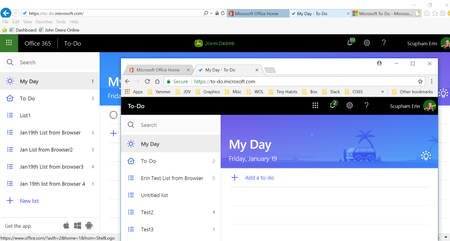
I am experiencing the same issue. Lots of lists in the App but none showing Online. The sync button does nothing.
If I create a list online it sync down. Lists create in the Windows Store App do not sync up.
 David CarrAug 10, 2018Copper ContributorI’ve found when adding tasks on the website the iOS app does not update until it’s closed and re-opened
 shedalFeb 11, 2019Copper Contributor
I have noticed exactly the same thing. When I close and reopen the iOS app on my iPad, only then will the changes by synced and appear in other apps.