Forum Discussion

janhkrag
Feb 02, 2021Brass Contributor
Microsoft Todo time format not matching OS time format
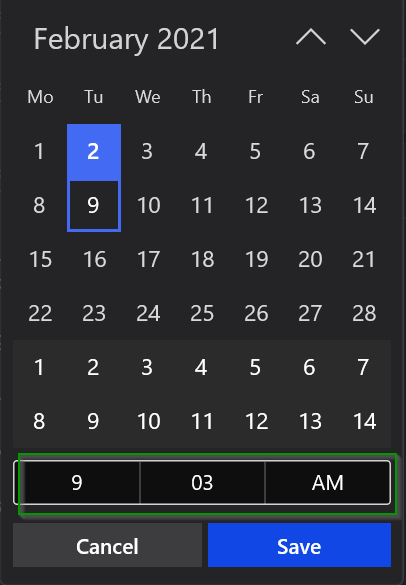
Hi, Why are the 'pick a date & time' reminders time format in AM/PM while my OS is in 24 hour format? I don't find any way to change it either... Todo Version: 2.36.2101....

WiggyJiggyJed
Nov 14, 2025Copper Contributor
I know this is a really old post, but I have determined the issue and found a workaround.
The 12h vs 24h option in ToDo is based on the Display Language, not the Region or other Date/Time formatting settings.
Apparently, Microsoft assumes that people in the US only use 12h clocks. However, if you set the Display Language to another English variant which commonly uses a 24h clock (e.g. UK English), ToDo will display a 24h clock for setting reminders.
I have seen similar issues with other Windows Store apps, where the app uses regional settings based on the display language instead of the Windows defined regional settings.
Hope this helps.