Forum Discussion

Laplace1045
Apr 19, 2024Copper Contributor
Due dates showing incorrectly
Hello, I'm experiencing an issue that just started yesterday. When I assign due dates for tasks, the date always shows up as the day prior. For example, If I set the due date as April 19th, the d...
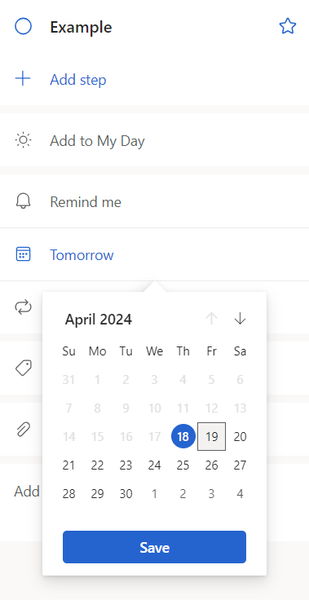
 Apr 25, 2024Same. I'm assuming you've all also noticed that this only happens in the new Grid view? The older List view still works fine. I'd love to use the Grid view more because it's faster to change those Due Dates, but they're all off by one day!
RyanSette
Apr 25, 2024Copper Contributor
Same. I'm assuming you've all also noticed that this only happens in the new Grid view? The older List view still works fine. I'd love to use the Grid view more because it's faster to change those Due Dates, but they're all off by one day!

Laplace1045
Apr 25, 2024Copper Contributor
RyanSette
I had no idea I could switch views. One day I opened tasks and I guess it defaulted to the new grid view. But switching to list view fixed it!
I had no idea I could switch views. One day I opened tasks and I guess it defaulted to the new grid view. But switching to list view fixed it!