Forum Discussion

Cannot delete organisation from Teams
 Sep 18, 2025
Hey! Here is a quick step-by-step!
- Go to myapps.microsoft.com.
- Sign in with your personal Microsoft account.
- Click your profile picture (top-right) → My Account.
- Scroll to Organizations.
- Click Manage Organizations.
- Find the organization you want to leave and click Leave Organization.
If you're still stuck and you want to do a bit of a hard reset, you might try deleting local cache?
But the best bet is contacting the admins in the organization and asking them to remove you

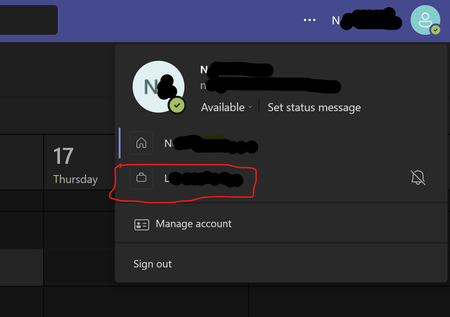
Does anyone actually monitor this thread from MSFT? I have a random org I have never dealt with showing up under my PERSONAL Teams/Email account. I cannot go to myapps.microsoft.com as it errors out stating I need to use a corp account. I shouldn't have a corp account associated with this email account in the first place. And, there appears to be no way to fix this...

Occasionally a MVP will offer advice which has never worked, but I doubt anyone from Microsoft is monitoring the post it as I posted my original message well over a year ago and nothing has been done to fix the issue. I've had an organisation attached to my personal email account that gives the same error you are experiencing for 5 years.