Forum Discussion

Cannot delete organisation from Teams
 Sep 18, 2025
Hey! Here is a quick step-by-step!
- Go to myapps.microsoft.com.
- Sign in with your personal Microsoft account.
- Click your profile picture (top-right) → My Account.
- Scroll to Organizations.
- Click Manage Organizations.
- Find the organization you want to leave and click Leave Organization.
If you're still stuck and you want to do a bit of a hard reset, you might try deleting local cache?
But the best bet is contacting the admins in the organization and asking them to remove you
Hey! Here is a quick step-by-step!
- Go to myapps.microsoft.com.
- Sign in with your personal Microsoft account.
- Click your profile picture (top-right) → My Account.
- Scroll to Organizations.
- Click Manage Organizations.
- Find the organization you want to leave and click Leave Organization.
If you're still stuck and you want to do a bit of a hard reset, you might try deleting local cache?
But the best bet is contacting the admins in the organization and asking them to remove you

I am running into the same issue as OP, I was added to a random organization from the other side of the world and i want it gone since I don't trust it.
I tried the solution you proposed but i literally get stuck at the second step, whenever I try to log in to myapps.microsoft.com I get an error screen saying I can only access the site with a work account, but the unknown organization is linked to my personal account. Do you know any alternate ways to fix this issue?
Thanks in advance
 stevespentMar 12, 2026Copper Contributor
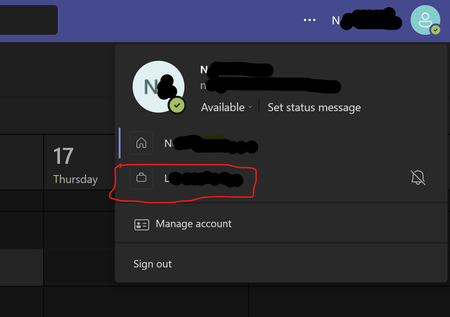
Same issue here. Looks like a random company has sent me a teams invite on my personal account to join their organisation (possibly a scammer?), so they show on my log in screen and accounts and org. I really don’t feel comfortable to accept the invite and then leave the organisation as I’m not sure what it’ll do to my account.