Forum Discussion

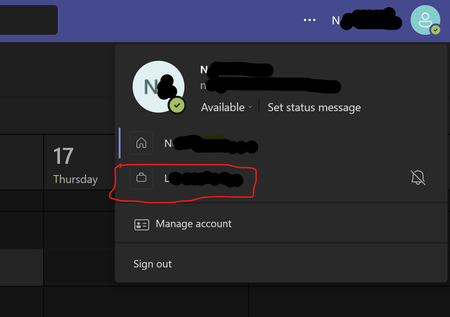
Cannot delete organisation from Teams
 Sep 18, 2025
Hey! Here is a quick step-by-step!
- Go to myapps.microsoft.com.
- Sign in with your personal Microsoft account.
- Click your profile picture (top-right) → My Account.
- Scroll to Organizations.
- Click Manage Organizations.
- Find the organization you want to leave and click Leave Organization.
If you're still stuck and you want to do a bit of a hard reset, you might try deleting local cache?
But the best bet is contacting the admins in the organization and asking them to remove you

Hey, it comes up a lot. Here are the steps to take:
To leave an organisation with your personal account:
- Sign in to https://myapps.microsoft.com
- At the top-left, select the arrow and go to My Account
- Select Manage Organizations
Here, you'll see a list of organizations connected to your account.
- Select Leave next to the organization you want to leave
- Confirm that you want to leave
What if I can't leave?
In some cases, you may not be able to leave the organisation. This is likely due to a setting that they have that disables the ability for external users to leave the organisation. You can read more about this on the Microsoft Support page.

HelloBenTeoh Any suggestions for when this doesn't work? I've managed to remove two of my previous organisations but I still have two attached to my personal account ask me to login when I request to leave?
- HelloBenTeohJul 31, 2025Bronze Contributor
Sorry, late reply, but you'd have to contact the organisation's admin to remove you.
 RenzohanAug 05, 2025Tin Contributor
You understand that this is the problem for many, right? And I find it absurd that I cannot leave a team. What if the organization if no more? We need to look at that exclamation mark for ever?
 rjRayesAug 05, 2025Copper Contributor
any suggestion for when you are unable to reach the organization or it is no longer active?