Forum Discussion

Cannot delete organisation from Teams
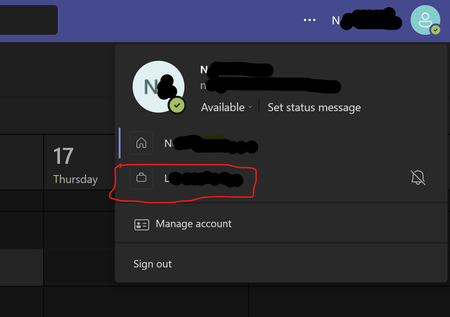

Hey, it comes up a lot. Here are the steps to take:
To leave an organisation with your personal account:
- Sign in to https://myapps.microsoft.com
- At the top-left, select the arrow and go to My Account
- Select Manage Organizations
Here, you'll see a list of organizations connected to your account.
- Select Leave next to the organization you want to leave
- Confirm that you want to leave
What if I can't leave?
In some cases, you may not be able to leave the organisation. This is likely due to a setting that they have that disables the ability for external users to leave the organisation. You can read more about this on the Microsoft Support page.

This doesn't work, at least for me... When clicking on "Leave", I'm redirected to the organization login page (I'm aked to login), but I just can't.... So I'm screwed.
- Lesley CrookAug 13, 2025MVP
Yes me also, all greyed out!
 KaffeinatedkiwiJul 21, 2025Copper Contributor
EUbkd did you every find a fix for this as I'm in the same situation. I could remove two organisations using the method recommend by HelloBenTeoh but for another 2 I'm asked to login. So frustrating!
- EUbkdJul 21, 2025Copper Contributor
Looks like the ONLY fix is to contact IT guys of the concerned organization so that they delete the subscription on their side...
I still have to try one more time in my case, I couldn't reach the right person last time I called 🙄
