Forum Discussion

Cannot delete organisation from Teams
 Sep 18, 2025
Hey! Here is a quick step-by-step!
- Go to myapps.microsoft.com.
- Sign in with your personal Microsoft account.
- Click your profile picture (top-right) → My Account.
- Scroll to Organizations.
- Click Manage Organizations.
- Find the organization you want to leave and click Leave Organization.
If you're still stuck and you want to do a bit of a hard reset, you might try deleting local cache?
But the best bet is contacting the admins in the organization and asking them to remove you

Dear Community,
I left my company and in consequence paid to get a personal Microsoft 365 account.
It appears that the reason I cannot leave the old organization (s), is that I now have a personal account.
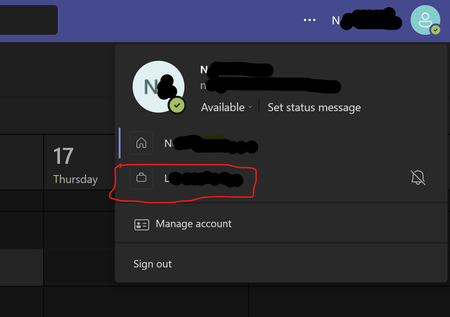
Is there any way to solve this, it is disturbing to see old employers on my personal Teams account, when i log in with my private email and to not be able to resolve this. By now, despite considering myself moderately IT savvy, I have lost hours of my life to the endeavour. All help for tips would be greatly appreciated! Warm thanks