Forum Discussion

tscholze
Oct 06, 2021Iron Contributor
Surface Duo 2 emulator stays black but touches are visible in terminal
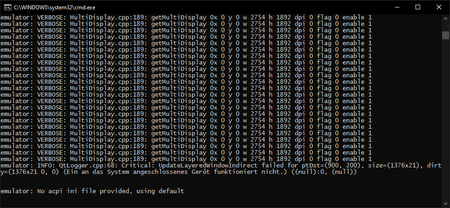
Hi team, after I updates to the SD2 emulator, the emulator content stays black but if I left click I see some output in the terminal. I do not know if the updated caused it, but I changed nothin...
- Oct 10, 2021
tscholze sounds like this issue. Sorry you've run into it.
There are two options to resolve:
- the run_wipe script in the install location should allow the emulator to boot up successfully BUT be warned it will delete all the data on the emulator (eg. any apps you've built/tested)
- re-install the Surface Duo 2 emulator, but during the install wizard pick a different install location to the default.
Hope that helps!


tscholze
Oct 10, 2021Iron Contributor
Hi Craig_Dunn,
thanks for your response!
You are absolutley correct. It was a mixture of all of your points.
I just report for all other dev friends that might have the same issues:
- Check first if the official deinstaller of the emulator works (use the add/remove software Windows10 feature)
- I had to delete manually the emulator's folder (/Users/<user>/SurfaceDuoEmulator)
- https://www.microsoft.com/en-us/download/details.aspx?id=100847
- If the first start up fails and the related Terminal window is spammed by "Qtxxx failed" run the "run_clean.bat" script of the emulator
- During the second startup - be patient. I saw for a very long time the Android and Microsoft logo - I thought it hung up again but nope it took some time on my beefy dev machine
- Everything works. Yay!
PS: To use the emulator with VS, please run the run_vs_clean.bat script.