Forum Discussion

UI question on foldable: How to display a small amount of content on top of an extended canvas?
 Apr 14, 2022
Hi Tobias,
Thanks for your question!
To be honest, I also am not an expert in Android components/Material Design, but from what you have described, it sounds like a Sheet would fit your needs. We do use a custom component similar to a BottomSheet/Drawer in the NavigationRail Compose sample, but like you mentioned, some content is still shown when the component is collapsed, so that wouldn't fit your exact use case.

Hi khalper,
thanks for your deep intention to help :). Awesome!
I know it is more an UI / UX question than a SDK one but this is the point my pet project is struggling with.
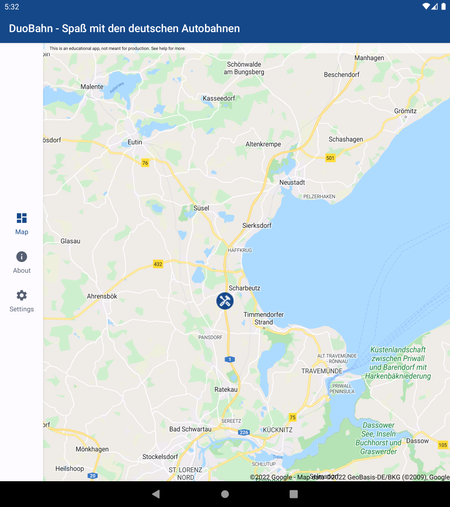
You are absolutely correct. The map is center of the app, than there are two types of "content" that has to be shown.
Navigated pages aka 'Settings'
These are the pages of the app which are not map related like the settings or the about page. But these are quite small and would never fill a screen of the duo.
User taps on a map marker
At first I thought I open a map overlay but than my second idea was to use a bottom sheet instead - as I mentioned inspired by you.
The information of the sheet would differ highly which type of marker the user tapped. E.g. a "accident" marker would just show some texts, etc but a webcam marker would show the actual webcam feed (due to the Ukraine war, the API stopped delivering such information).
Grr, it bothers me hard that my app seems to lack some UI/UX knowledge / basement which I can build on.
Thanks for all your help!
 Microsoft
No problem, we're always glad to hear updates on your project!
Thanks for explaining the other screens more, in that case I think you would probably want to add a "Settings" icon to the TopAppBar, since that information is static and accessible at any time. For the map markers, since the information changes depending on which marker is tapped, I agree that a sheet would make sense - one benefit of using Compose is that you can create a base composable with all of the common formatting and then just pass in the dynamic content you want to show!
And don't worry about that, it sounds like you're already learning a lot with this project! When in doubt, I would say that the Material Design documentation is always a good resource 🙂