Forum Discussion

SfB Fast Insider - Calendar not showing
 Apr 25, 2017
Hi Graham, let's try a few things:
1. Sign out of SFB Mac.
2. Click on "Delete Sign-in Info" button.
3. Enter the same SFB account for the 1st and 3rd input fields of the sign in screen, e.g. graham@contoso.com.
4. Sign in and let me know if it works.
We have changed the Exchange functionality because it was not detecting connectivity failure. But it means that it is a bit more stricter when it comes to the user name matching.
 Microsoft
Hi Adam. Another thing to try is enter "Domain\user id" into the User Name field, e.g. "Contoso\JohnSmith". It depends on your active directory setup.
If that does not work, your might want to find out what your full email address is and try that. Some topology has email address like this: "johnsmith@exchange.contoso.com", instead of more friendly name "johnsmith@contoso.com".
Kam

Hello,
I'm facing a similar problem but in my case it displays "Checking for updates..." and never changes from that message.
Some builds ago (don't remember when) the meeting tab was diaplaying the meetins correctly.
Thanks
Rafael
 Tom CaseJul 26, 2017Copper ContributorThis keychain piece was the one that got me as well. Especially on password change for my user.
- Brent DanielJul 24, 2017Copper Contributor
I tried the sign out and clear keychain---no success
 Juan HernandezJul 17, 2017Copper Contributor
Working now for me.
I was also getting the "Checking for Updates" message in the meetings tab and couldn't see any of the meetings.
I'm using Skype for Business 16.8.196 on MacOS.
I closed Skype for Business application.
Then opened Keychain Access application and searched for skype in my login keychain. I deleted all the entries (I had like 5 entries).
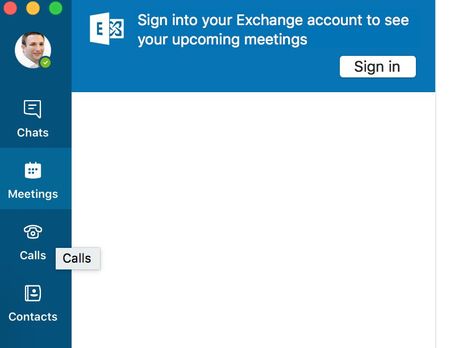
Reopened Skype and then I was getting the "Sign into your Exchange account to see your upcoming meetings". I just signed in with my credentials and it's working now.
I'm not sure if it stopped working when I last changed my password. I'll keep an eye on it if it happens again.
Hope this helps others.
- Brent DanielJul 07, 2017Copper Contributor
I see the "Checking for Updates" as well
I have 16.8.198 client
we have on Prem SFB server and O365 for all other clients.
I used my email for the sign in on line 1 and 3
my presence deafults to unknown and when chaged to Available that does not reflect in the O365 clients
- Kenny PittJun 30, 2017Copper Contributor
I had the same problem after I deleted my sign-in info and then logged back in. It seems to be working now after quitting the Skype for Business application and then restarting it again.

