Forum Discussion

SfB Fast Insider - Calendar not showing
 Apr 25, 2017
Hi Graham, let's try a few things:
1. Sign out of SFB Mac.
2. Click on "Delete Sign-in Info" button.
3. Enter the same SFB account for the 1st and 3rd input fields of the sign in screen, e.g. graham@contoso.com.
4. Sign in and let me know if it works.
We have changed the Exchange functionality because it was not detecting connectivity failure. But it means that it is a bit more stricter when it comes to the user name matching.

We also have multiple user with this issue.
Have tried all various work arounds onhere but it still fails.
I shold also add this is NOT on a preview but hte curren release of 16.10
 Microsoft
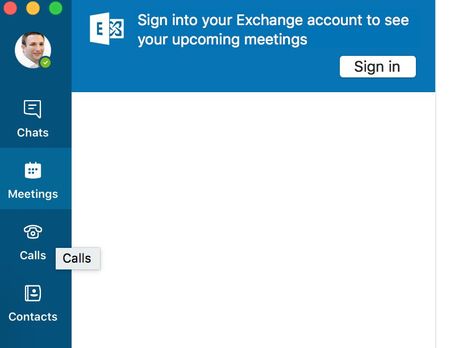
Hi Mat. Are the users see the notification saying "you need to sign into Exchange to see the upcoming meetings"?
- Mat GriffinSep 06, 2017Tin Contributor
Yes, it both meetings tab and calls tab.
We have tried all sorts on client side and spent hours on this but nothign is working.
- Kam Foo AwSep 06, 2017
Have you try these steps:
• Sign out of SFB (By clicking ‘Sign out’ under the Skype For Business application menu).
• In the sign-in screen click 'Delete Sign-in Info’ button and click ‘OK’ to confirm. (These step is just to get rid of any stale sign-in info)
• Now enter only your email address (johnsmith@contoso.com) and password. Be sure to leave the username field blank.
• Click on ‘Advanced options’ and ensure that ‘Auto-detect server’ is checked.
• Click sign in.
• You might still see the Exchange banner in the meetings tab and have to sign in through that once more but after that, your sign in should work as expected in subsequent attempts.- Mat GriffinSep 07, 2017Tin ContributorNone of this works, it just fails to sign in.