Forum Discussion

Urgent: TOC formatting appears on every page, but is only needed on the contents page. Please help!
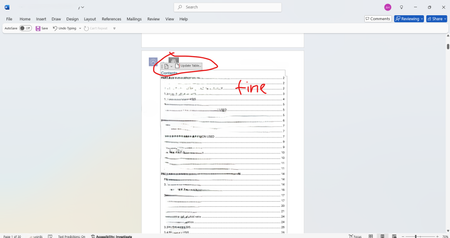

It sounds like your Table of Contents (TOC) might be appearing in the header or footer, causing it to repeat on every page. Here are a few things you can check:
Verify TOC Placement – Make sure your TOC is placed in the main body of the document and not inside a header or footer.
Check Section Breaks – If your document has section breaks, ensure that the TOC is only in the section where you need it.
Remove Unwanted TOC Copies – If the TOC is duplicated throughout the document, delete the extra copies while keeping the one on the contents page.
Inspect Styles – Sometimes, TOC formatting can be linked to specific styles. Check if any styles are forcing it to appear on every page.
Update TOC – After making changes, right-click the TOC and select "Update Field" to refresh it.
Hope this helps