Forum Discussion

Using search to display usage statistics in SPO
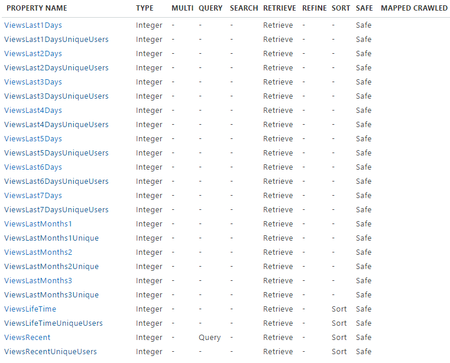

For an overview of the on-prem architecture, please review the following:
The SPO Search service works similarly.
Regarding your points:
First: You will not be able to change the SPO property. It is a service-wide setting, not per-tenant.
Second: I couldn't specific documentation of the managed properties, but the names match the information described in the Analytics Platform documentation linked above. Usage data is pushed into the search index every 15 minutes.
Third: These properties are your best approach using OOB functionality. Of course, you could add a javascript widget (Google Analytics or Application Insights) to your pages.
- Christian EnghaugAug 29, 2016Brass Contributor
Thanks for your answer!
- Franck CornuAug 30, 2016Brass Contributor
If you want to view analytics and usage for your SharePoint site, like paulschaeflein says, you can use Azure Application Insights. I used this feature for one of my project and it is really simple. You can either add the generated code into a script editor Web Part or use a https://github.com/OfficeDev/PnP-PowerShell/blob/master/Documentation/AddSPOJavaScriptLink.mdto inject the code for all pages. Just follow this procedure https://azure.microsoft.com/en-us/documentation/articles/app-insights-sharepoint/.
I think using search may be too complicated for what you looking for.

