Forum Discussion

Formatted view - hideColumnHeader not working in list webpart
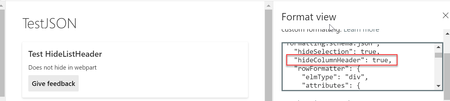

dfurler RealPaddy And others in the thread. This issue has been fixed an is in the deployment pipeline and should reach production in a week (if not already).

I think this might be related to the list web part no longer respecting the turning off checkboxes in tabular view settings as well. Do you know if this will also be fixed with the update?
- SVaibhavFeb 05, 2020Former Employee
Hi XopherDesign,
If you are referring to the "hideSelection" property of view formatter, I see it working fine now. Do let me know if you meant something else!
- XopherDesignFeb 06, 2020Copper Contributor
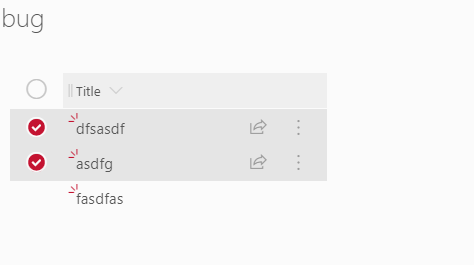
I was actually talking about the Edit View -> Tabular View -> Allow individual item checkboxes. This used to be respected by the modern list webpart when you unchecked it. But about the same time the list formatting hideColumnHeader stopped working this stopped working as well. Basically I see no way to get rid of checkboxes on the list webpart and still have it work in conjunction with the list properties web part.
When you link a list and list properties web parts, it makes no sense to allow multiple selections.
- SVaibhavFeb 06, 2020Former Employee
Hi XopherDesign,
Thanks for clarifying. I think this was also fixed with the same change which was done to fix the "hideColumnHeader" property on webpart as I am unable to reproduce this on my test list and looks like everything is working fine.
Kindly re-verify this too at your end once (the final fix can take a week to reach all the production environments).