Forum Discussion

EiC4733
May 30, 2024Brass Contributor
Header sharepoint forms
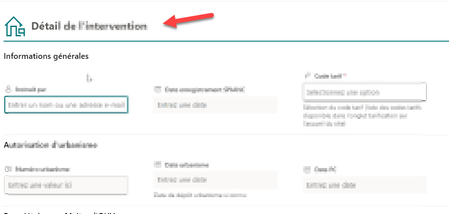
Hello, I would like to show the reference ('REF' column) in the header of my form sharepoint but I can't do it. This is a column of text. Could you take a look and help me? Below is the code ...

Rob_Elliott
May 30, 2024Silver Contributor
EiC4733 in my example below I've added a column, field_10, from my list showing the country of the selected airport as a subtitle using the following:
{
    "elmType": "div",
    "attributes": {
        "class": "ms-bgColor-themePrimary ms-fontColor-white"
    },
    "children": [
        {
            "elmType": "div",
            "style": {
                "margin": "10px",
                "width": "100%",
                "border": "none",
                "padding": "10px",
                "display": "=if([$Title] == '' , 'none' , 'flex')",
                "flex-direction": "column"
            },
            "children": [
                {
                    "elmType": "div",
                    "txtContent": "[$Title]",
                    "style": {
                        "text-align": "left"
                    },
                    "attributes": {
                        "class": "ms-fontSize-28 ms-fontWeight-bold"
                    }
                },
                {
                    "elmType": "div",
                    "txtContent": "[$field_10]",
                    "style": {
                        "text-align": "left",
                        "display": "=if([$field_10] == '' , 'none' , '')"
                    },
                    "attributes": {
                        "class": "ms-fontSize-16"
                    }
                }
            ]
        }
    ]
}
Rob
Los Gallardos
Microsoft Power Automate Community Super User.
Principal Consultant, SharePoint and Power Platform WSP Global (and classic 1967 Morris Traveller driver)

EiC4733
May 30, 2024Brass Contributor
Thank you very much for your quick feedback,
I copied and pasted it and I just replaced your Filed_10 column with mine since I also have the existing Title column but I still can't display it

I also tried with another column without success.
I can get the subtitle but not the title