Forum Discussion

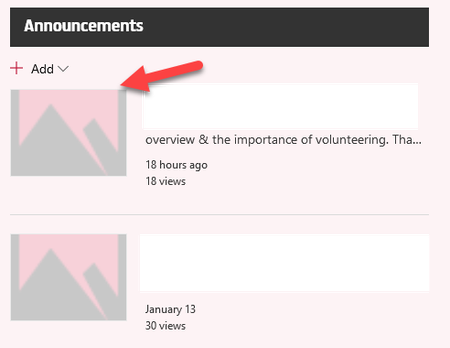
For News Web Part - Thumbanail is not showing

Hi,
We are seeing the same issue in several tenants. It seems that issue occurs only on rootsite with News webpart. When you open news itself, then picture is displayed correctly.
When looking at the console, I see following:
Given error message cannot resolve:
https://[tenantname].sharepoint.com/_layouts/15/getpreview.ashx?resolution=0&path=%2F_api%2Fv2.1%2Fsites%2F[tenantname].sharepoint.com%2C2b197a1e-4ad8-4169-9f34-c07da56b0253%2C8f005fe1-4d69-4623-8403-dd001ac8ae5b%2Fitems%2Fe9056bc1-5794-439e-85b8-d1dbe345a5a5%2Fdriveitem%2Fthumbnails%2F0%2Fc400x99999%2Fcontent%3Fprefernoredirect%3Dtrue%26clienttype%3Dmodernwebpart&clientType=modernWebPart
We reported an issue to MS also. Hoping it will get fixed soon...
Mihkel

The Culprit is Power Apps. I tried to customize a list form using Power App. When I deleted from the list, the news web part started working properly.
- ShareCloudJan 22, 2020Brass ContributorHi,
Not in my case. I haven't done any changes using Powerapps and the news thumbnails are still missing.
Can you clarify if you tried to customize SitePages library with powerapps or some other list?- Sajith G HJan 22, 2020Brass Contributor
Today I just installed and Configured ShortPoint App. After that, again the same issue happened in the Root Site Collection. But News Web Part thumbnail works in other site collections. ?
Is it anything related to App Catalog Site ? Please advise.
- ShareCloudJan 23, 2020Brass ContributorHi,
I had this issue for about half a day. I didn't change anything and it started displaying news thumbnails again. I suppose MS had fixed this issue....
Mihkel
- Sajith G HJan 22, 2020Brass Contributor
I tried to customize only the custom list. No changes made in the Site Page Library. But it effected the Site Pages Home Page and inside pages showing the news web part thumbnails.