Forum Discussion

apply pnp template on sub site
 AnonymousOct 31, 2016
Hi,
it seems the pages are not in the current directory. My pnp:files look like this
<pnp:File src="SiteAssets\Logo.png" Folder="SiteAssets" Overwrite="true" />
where src could be C:\temp\sitesassets\logo.png
so whitout properties
but also do you need to provision the masterpages? If they are already in there why would you like to upload your version?
hope it helps.
It is strange. It looks like the path does not exist. Did you check the template with the loaded schema if not working?
 Jess LassenOct 30, 2016Copper Contributor
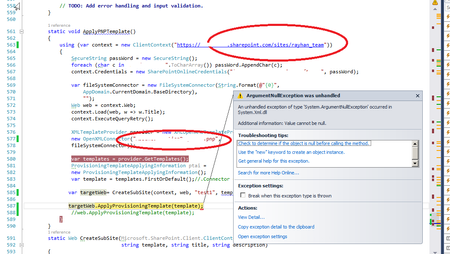
Deleted I checked it is loaded when I tried to apply it from debug mode. It applies list instances and when it tries to apply Files (default.aspx) it fails
- AnonymousOct 30, 2016
Ok that is another question. did you try to rename the default.aspx just to try it and remove the webparts..
- Jess LassenOct 31, 2016Copper Contributor
Deleted I did not rename anything.
Please see the following screen shots what I did (all using power shell)
Extracted template from site
Applying template started
Template applying started
Applying template fails
Applying template fails
I am attaching the .xml template file
Thanks