Forum Discussion

johnjohn-Peter
Mar 08, 2024Steel Contributor
Print the SharePoint items barcodes + Titles, using a label printer
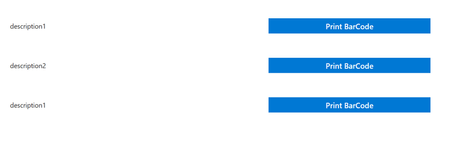
I have a gallery showing SharePoint items & beside each item we have a "Print" button, as follow:- the print button should produce an image or pdf file that will get attached to the item, t...

PriyaRaskar
Mar 09, 2024Tin Contributor
Option 1:
1. On Print barcode button click, create an HTML string and put the list item details where you need in that HTML (you can add these values in Power Automate workflow as well)
2. Send HTML string to Power Automate Workflow to create PDF and attach with same item in the SharePoint list.
3. Create PDF from HTML https://www.youtube.com/watch?v=Da4do2DxmJE&ab_channel=RezaDorrani
Option 2:
1. On Print Barcode button start workflow to create PDF from HTML
2. Build your HTML in workflow
3. Convert HTML to PDF
4. Attach PDF as attachment to the List Item
sample HTML string:
"<img src='https://barcodeapi.org/api/"& TextInput1.Text &"'> <br> <label style='font-weight: bold;font-size:25px'>"&Label1.Text&"</label> <br> <label style='font-weight: bold;font-size:25px'>"&Label1_1.Text&"</label>"
I have used barcode api to create Barcode, you can use your saved image's path in img HTML tag.
Other labels used in above HTML string can be replaced with your current Item values.