Forum Discussion

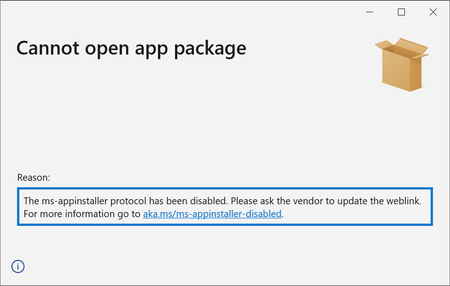
The ms-appinstaller protocol has been disabled.
 Dec 15, 2021
bvenhaus Thank you for your question. We removed the ms-appinstaller custom scheme due to a security vulnerability. We do intend to bring this back, and are working on it. For now, you can update the link on your website by removing 'ms-appinstaller:?source='
<html>
    <body>
        <h1> MyApp Web Page </h1>
        <a href="http://mywebservice.azureedge.net/HubApp.msix"> Install app package </a>
        <a href="http://mywebservice.azureedge.net/HubAppBundle.msixbundle"> Install app bundle  </a>
        <a href="http://mywebservice.azureedge.net/HubAppSet.appinstaller"> Install related set </a>
    </body>
</html>

Yes it may not satifsy your use case. I am ok with my users downloading a file instead as a work-around for now until Microsoft can restore the original functionality securely.
You can set the https://docs.microsoft.com/en-us/uwp/schemas/appinstallerschema/element-update-settings update-settings flag to OnLaunch or AutomaticBackgroundTask and the https://docs.microsoft.com/en-us/uwp/schemas/appinstallerschema/element-automatic-background-task element-automatic-background-task flag to check for updates periodically once installed.
