Forum Discussion

Not able to convert of Adobe captivate to MSIX format
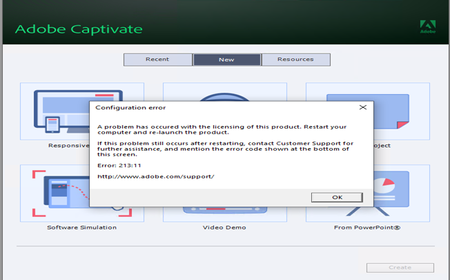

Hi Sidharth2490
This is a common challengee for many applications. It happens because an MSIX package can only install files inside the ProgramFiles\WindowsApps folder and because the app does not know to copy those files from the install location into the required/additional folders the first time it is launched.
This limitation can be fixed using the package support framework. I gave a talk last month, and also wrote this article, where I explain how you can do it with the MSIX Packaging Tool or with Advanced Installer (which eve you prefer).
Long story short, for applications where you don't have access to the source code and where the application does not know to copy those files at first-launch you will need to use the package support framework to fix them. Or you can create an additional task/script in SCCM to copy those additional files on the machine before the MSIX is installed. (this works only if you have complete control over the deployment of your MSIX package)
Disclaimer: I work on the team building Advanced Installer