Forum Discussion

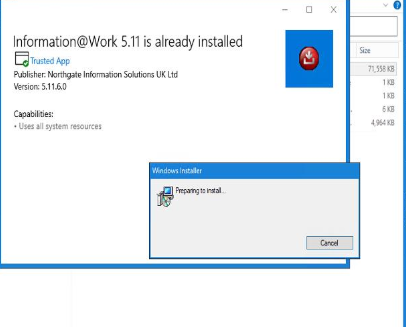
MSIX self heal issue
- Aug 26, 2020
Hi santosh94
The old MSI installer should be completely out of the picture once you converted it to MSIX.
The self-repair probably triggers because you have both the MSI and the MSIX version of the application installed on the machine (and something from the MSI wasn't correctly installed). Try installing the MSIX package on a clean machine.
Also, as a good practice, it is recommended you always use a clean virtual machine to convert a package to MSIX. You can use the native Hyper-V support from Windows 10 or any other VM provider (Vmware, VirtualBox, etc...). This will ensure greater accuracy for the contents of your new MSIX package and also better/clear test results for the new MSIX package.


 Microsoft
MSIX does not support apps self-healing or updating themselves. That is because MSIX apps are installed to a protected folder that does not allow writes to it.
The recommendation when converting applications to MSIX with the packaging tool is to disable these behaviors during the conversion process if possible.
If that does not work you can also try to find out what triggers the self-heal to prevent it from happening. For example, it may be that the application is checking a registry key with information about the installation and you need to delete or modify it in your packaged app.