Forum Discussion

Error using MSIX. In creating package, i got error. I will upload it here. Any help would be great!


Hi SBMSSOL
1) Regarding the application element. When the MSIX Packaging Tool generates a package it creates Application elements that represent the entry points to your application and each has an App ID. You can see the entry points that were detected by the tool in the "First launch tasks" page. If you don't see your app's entry point here, you can add them with the "Browse" button.
2) This capability "runFullTrust" is mandatory for any Win32 application packaged as MSIX. When you publish the app to the store you simply mention in the comments are this is a Win32 converted app and the submission team should accept it.

Bogdan,
Thanks, and ok. I will see what I can do about the #2 item you stated here. #1 is a bit confusing because I created an appxmanifest.xml file earlier and see elements in it that seem to be pretty straight forward as it pertains to the app. I thought this is what this error was pointing to. This seems to be the main problem right now.
This is what I am confused about:
1) You can see the entry points that were detected by the tool in the "First launch tasks" page.
Entry point ???
If you don't see your app's entry point here, you can add them with the "Browse" button. Entry point ???
I will look at what this "Browse" button is again and where.
- Bogdan MitracheJun 18, 2020Iron Contributor
Hi SBMSSOL
Sorry, since you didn't mention I supposed you used the MSIX Packaging Tool to create the package. That is the case for more questions around this community.
From I see you don't? How did you create the package? From Visual Studio?Can you extract (just unzip with something like 7-zip) and share as an attachment the manifest from the package that gave you the error?
As a clarification - an "entry point" is how the community refers to an executable that is marked as as shortcut for the app. i..e Since the app runs inside the MSIX container this exe is the "entry point" in the package container.
- SBMSSOLJun 18, 2020Copper Contributor
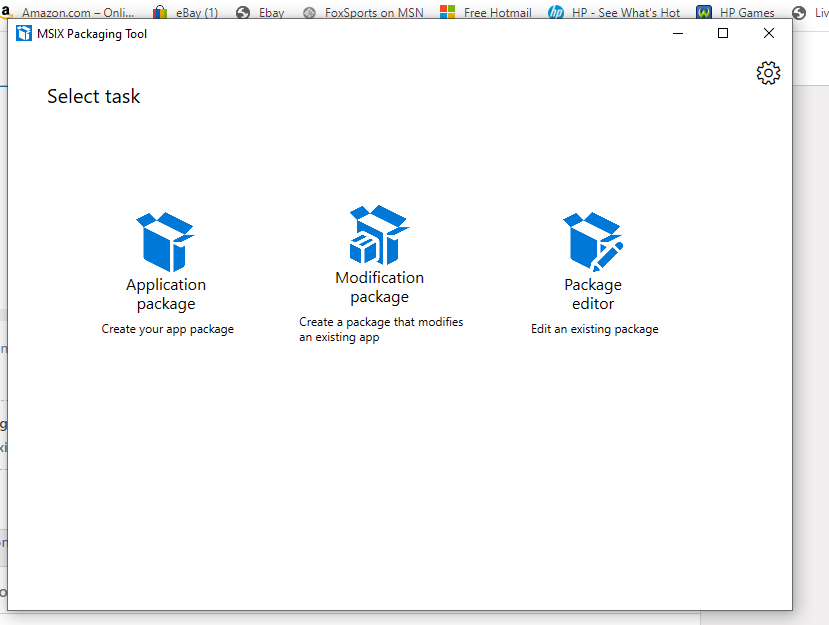
This is what I am using. MSIX Package app screen. I tried to add this to my VS but without success. I am using VS Community. I have now gotten this other message doing what you said with the browse button. ??? Thanks for your assistance.
- Bogdan MitracheJun 18, 2020Iron Contributor
Ooo, it looks like either the MSIX Packaging Tool has an issue or the package you're trying to convert is more complicated.
Have you tried the free Express edition from Advanced Installer? It has similar conversion capabilities, but with some major enhancements for certain areas.
Or, can you share a download link for the package you are trying to convert so we can try it too?
As a separate note. Since you are planning to go to the Store with this package I can only assume you are the owner of this app. In this case, converting the existing setup package to MSIX is not the recommended method. You can simply create your package from Visual Studio, either using the free extension from Advanced Installer or the one from Microsoft.
The process where you convert an existing installer to MSIX format is recommended mostly for IT professionals which usually are not the owner of the app (i.e. without access to its source code).