Forum Discussion

AWS CloudTrail - "whois" Organization Whitelist

Siedlarczyk95 This may be along the lines of what you are looking for. I wanted to create tickets in an ITSM for alerts in Sentinel and instead of having to constantly lookup the location and owner of the IP addresses, I used a rest api call via Logic Apps to get the IP owner https://ipapi.co/8.8.8.8/org so this could be added to the ticket on creation.
This won't necessarily let you alert for non-Amazon IPs since the alert would've already occurred.
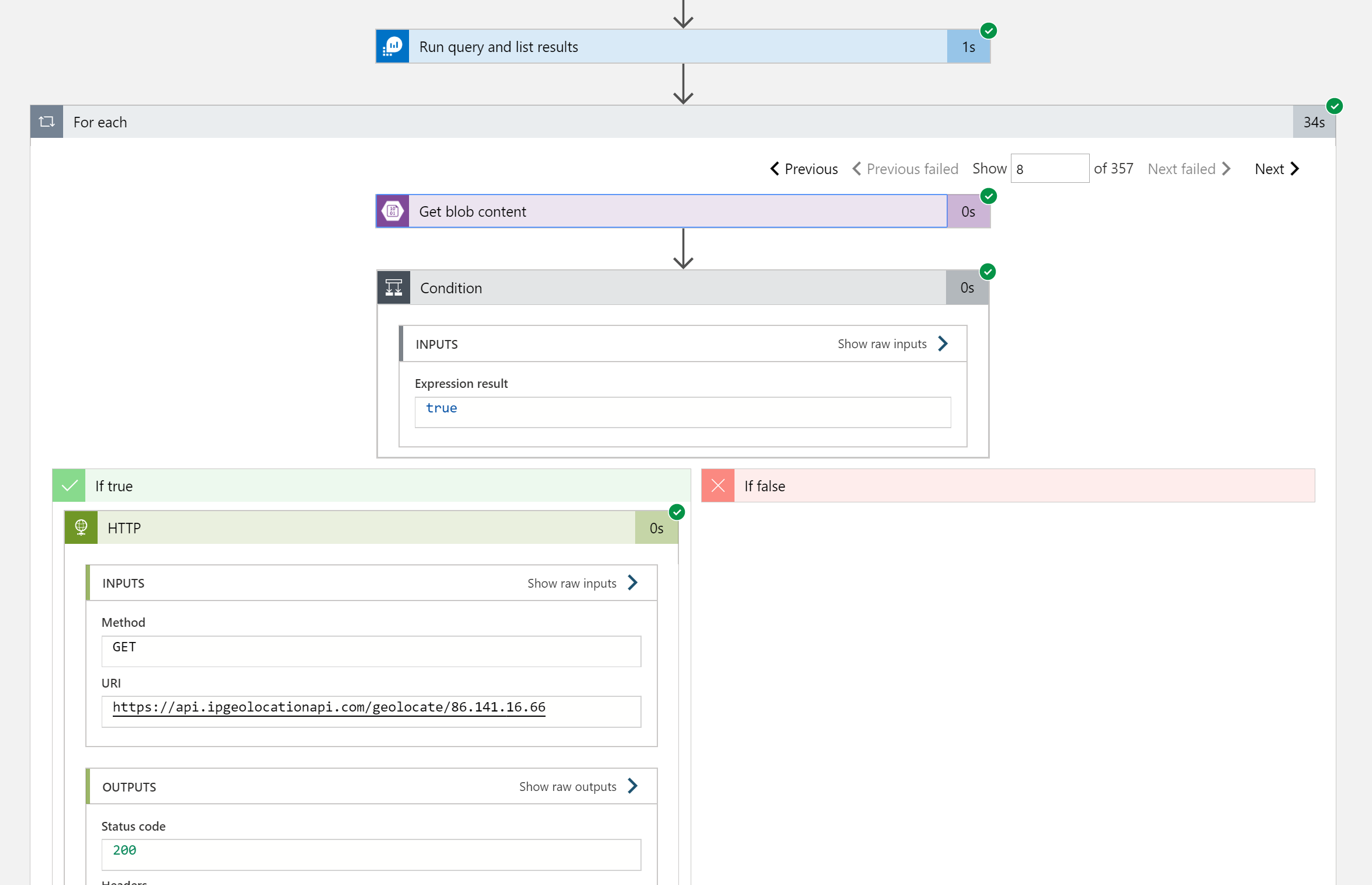
I also wanted to get information on where connections to our Cisco ASA were coming from geographically so I used another logic app to lookup IPs for their location, owner etc.
For this you would need a csv file in blob storage with the defined headers you are looking for e.g. IP, Location, Owner
I used a recurringly triggered logic app to run a log analytics query to get a list of IPs and then conditionally check the csv for the IP to make sure it wasn't already there (to avoid going over the api rate limit looking up IPs twice).
If the IP isn't in the file, you would then call the api and add the information as a new line to the csv file.
You could then use externaldata to lookup this information in log analytics and create alerts based on a query that excludes Amazon owned IPs.
I used the code below to generate a map showing the places connections were being made from to our ASA. The URL for the blob was generated by clicking on generate SAS under the storage account > containers > file.
externaldata(ip:string, country_code:string)
[h"https://my.blob.core.windows.net/mycontainer/iplookup.csv?sp=sharedaccesssignature"]
| join kind= inner (
CommonSecurityLog
| where TimeGenerated {TimeRange}
| extend day=dayofmonth(TimeGenerated)
| where Message contains "%ASA:  Group <GroupPolicy_VPN> User"
| parse Message with *"> User <" User ">"*
| parse Message with *"> IP <" ConnectingIP ">"*
) on $left.ip == $right.ConnectingIP
| distinct User, country_code
| summarize count(User) by country_code